
Installation
BRAW Toolbox contains a Media Extension allowing you to play back Blackmagic RAW in QuickTime Player, Final Cut Pro, Compressor and any other macOS applications that support Media Extensions.
The Media Extension REPLACES the previous Workflow Extension and FxPlug Motion Templates - these only still exist for legacy projects and specific workflows.
For MOST users, the Media Extension will be what you use to access Blackmagic RAW in Final Cut Pro.
When you first install BRAW Toolbox, the Media Extensions are off by default - you need to enable them in System Settings.
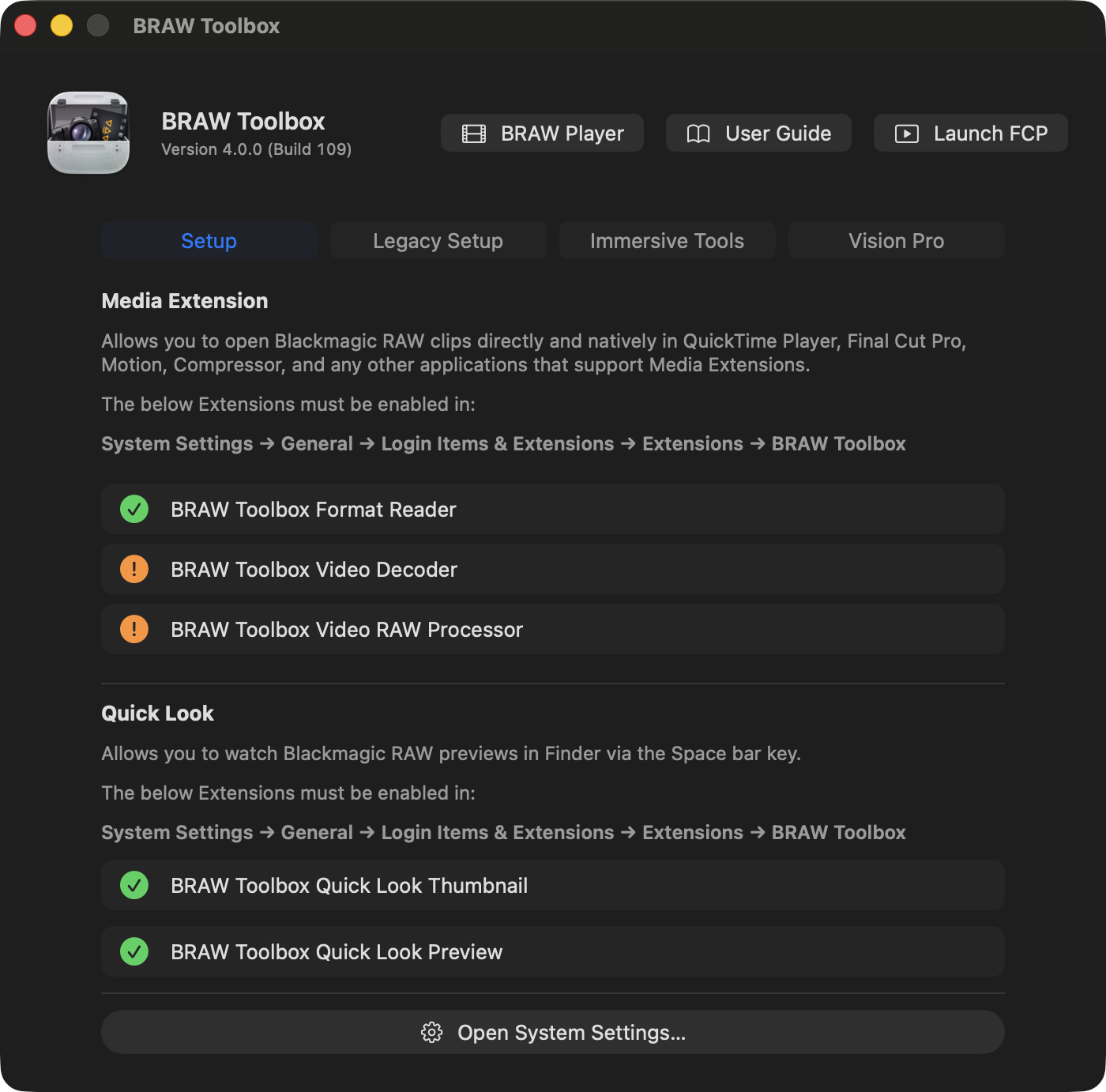
Open System Settings then in the General tab, select Login Items & Extensions.

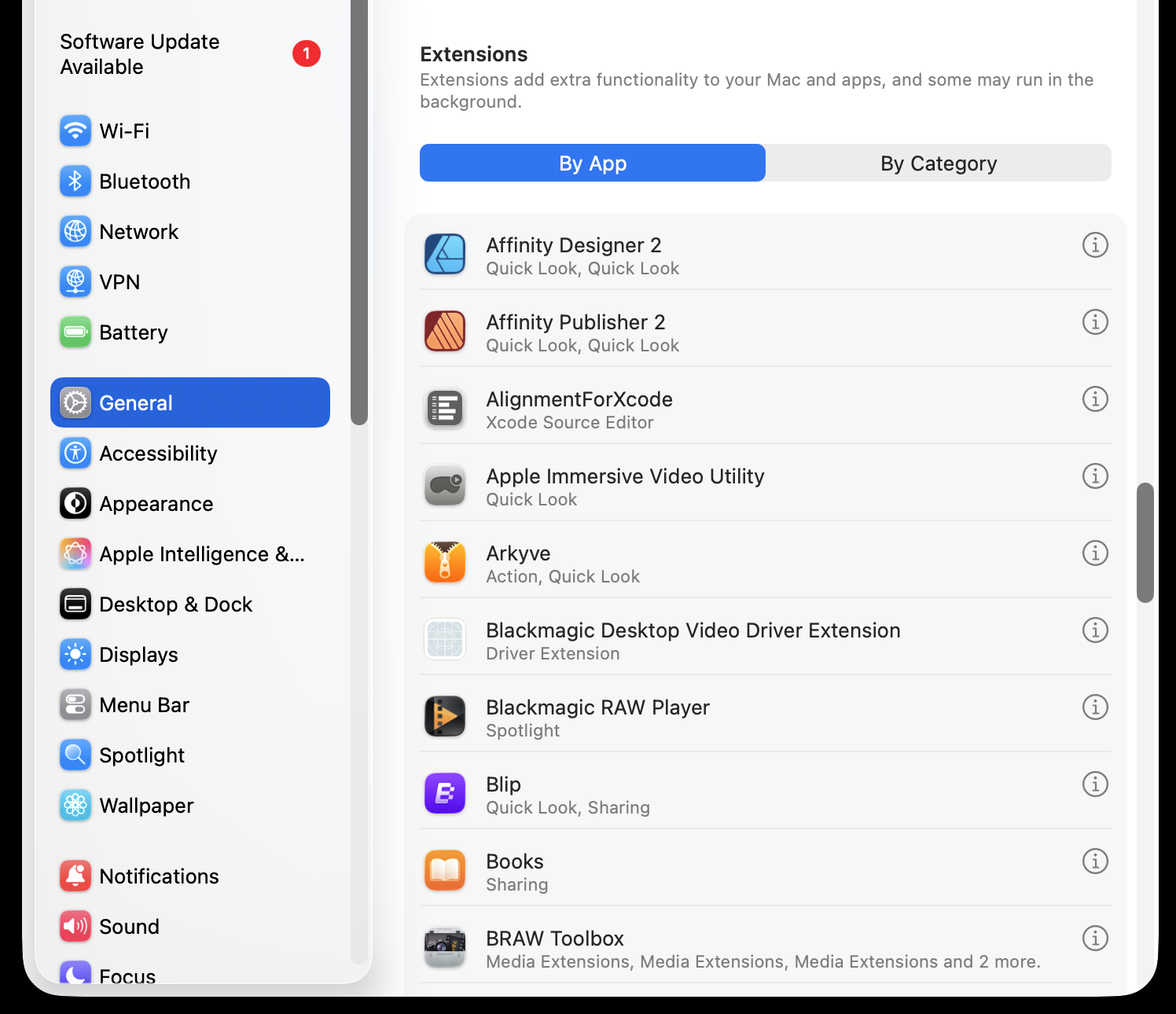
Scroll all the way down to Extensions, select By App.

Find BRAW Toolbox in the list, and click the Info icon next to it.
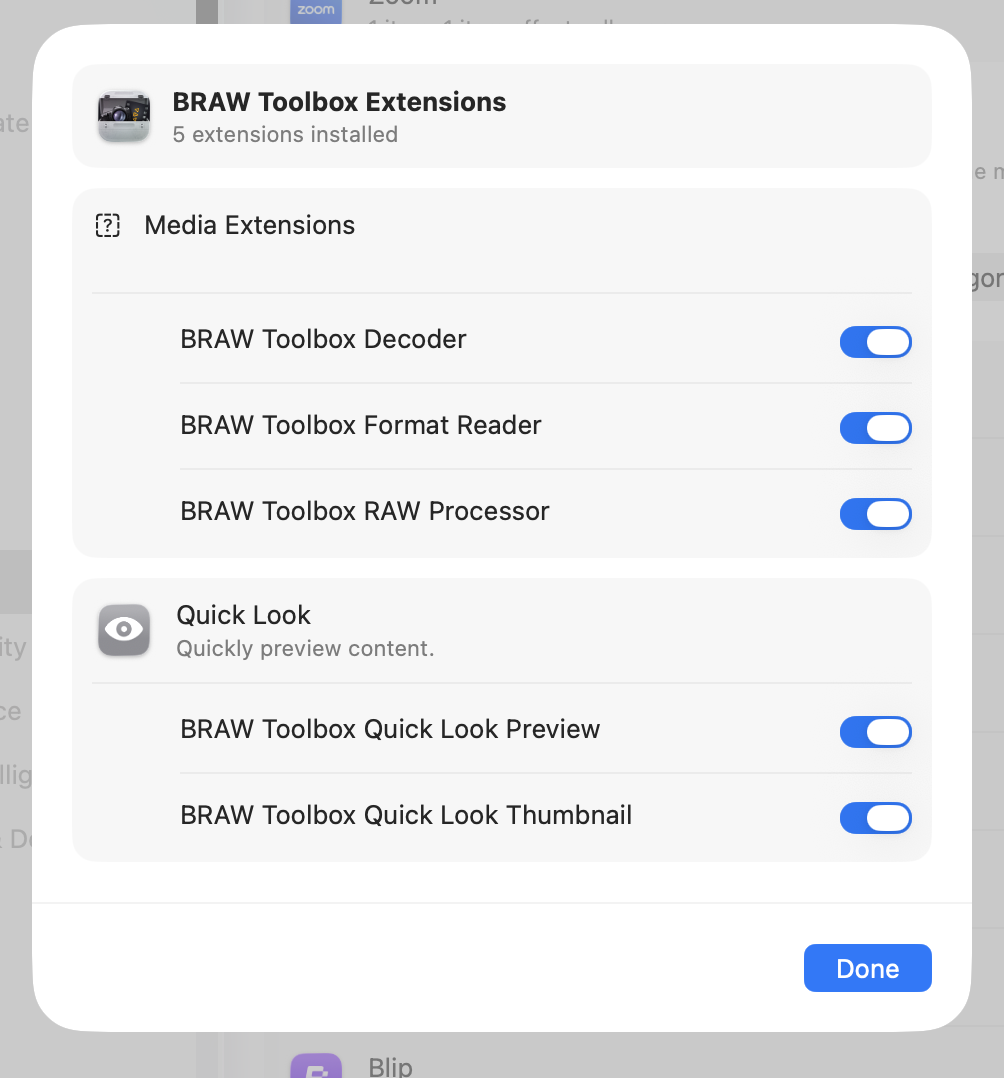
You should then enable the three Media Extensions, and two Quick Look Extensions.
Once enabled, you can import Blackmagic RAW files natively into Final Cut Pro, with full RAW controls.

You can find the RAW controls at the bottom of the Metadata Inspector with the Edit RAW Properties button.
